Multi API v3.50.0
Streamlined API call for incrementing a card spend limit
In embedded finance use cases delivering employee-spendable benefits / rewards / allowances, a common approach is for employers to set an allowance per employee (/card) on a periodic basis (e.g. monthly, weekly). In some cases, the employer may want to allow the employee to carry over any ‘unused’ budget from the previous period into a new period.
This can be achieved via the Weavr APIs by establishing an “ALWAYS interval” and a “limit”, and then setting a new, higher limit when reaching the end of the period. Until now this required two calls, GET all spend rules for a Managed CardManaged Card A payment card (virtual or physical) that can be created and managed through the Weavr platform. Cards can operate in prepaid mode (with their own balance) or debit mode (linked to a managed account). All cards must be assigned to a card assignee who is an Authorised User. (to determine the current limit), then after calculating the new limit, a second call to PATCH update the spend rules on that Managed CardManaged Card A payment card (virtual or physical) that can be created and managed through the Weavr platform. Cards can operate in prepaid mode (with their own balance) or debit mode (linked to a managed account). All cards must be assigned to a card assignee who is an Authorised User..
Weavr now offers a streamlined way of doing this, as follows:
We have introduced a new parameter in the spendLimit array - updateMethod with the following enums:
-
OVERWRITE : (default option if left null). Overwrites the previous values for the spendLimit object i.e. sets new limits
-
INCREMENT : This will increase the existing value of the spend limit by the amount input the value field.
If INCREMENT is used in conjunction with an ALWAYS interval (as in the example given), it can negate the need for the first GET (of the limit) and the calculation of the new limit. Simply call the PATCH with updateMethod set to INCREMENT, interval to ALWAYS and the value you want the limit to increase by.
INCREMENT can be used on all intervals, not just ALWAYS. You cannot decrease a limit using INCREMENT.
APIs affected:
PATCH /managed_cards/{id}/spend_rules
Data Insights - new SCASCA Strong Customer Authentication - a two-factor authentication solution required by PSD2 regulations for when end-users are accessing their payment account sensitive information or initiating transactions. SCA requires at least two of the following: something you know (password), something you have (device), or something you are (biometrics). Events dashboard
PSD2 defines that Strong Customer Authentication (SCA) via multifactor authentication needs to be used when End Customers access their sensitive payment account information and make payments.
To help EmbedderEmbedder A company or developer that integrates Weavr's embedded finance services into their own application to provide financial services to their end customers. programme operations and support teams track and troubleshoot SCASCA Strong Customer Authentication - a two-factor authentication solution required by PSD2 regulations for when end-users are accessing their payment account sensitive information or initiating transactions. SCA requires at least two of the following: something you know (password), something you have (device), or something you are (biometrics). actions of End Customers through their programme, we are introducing a new Data Insights dashboard in the Embedder PortalEmbedder Portal A web-based portal where embedders can access their Weavr account, manage API credentials, configure settings, view dashboards, and access documentation. The portal provides access to both sandbox and production environments, with separate credentials for each.: SCASCA Strong Customer Authentication - a two-factor authentication solution required by PSD2 regulations for when end-users are accessing their payment account sensitive information or initiating transactions. SCA requires at least two of the following: something you know (password), something you have (device), or something you are (biometrics). Events.
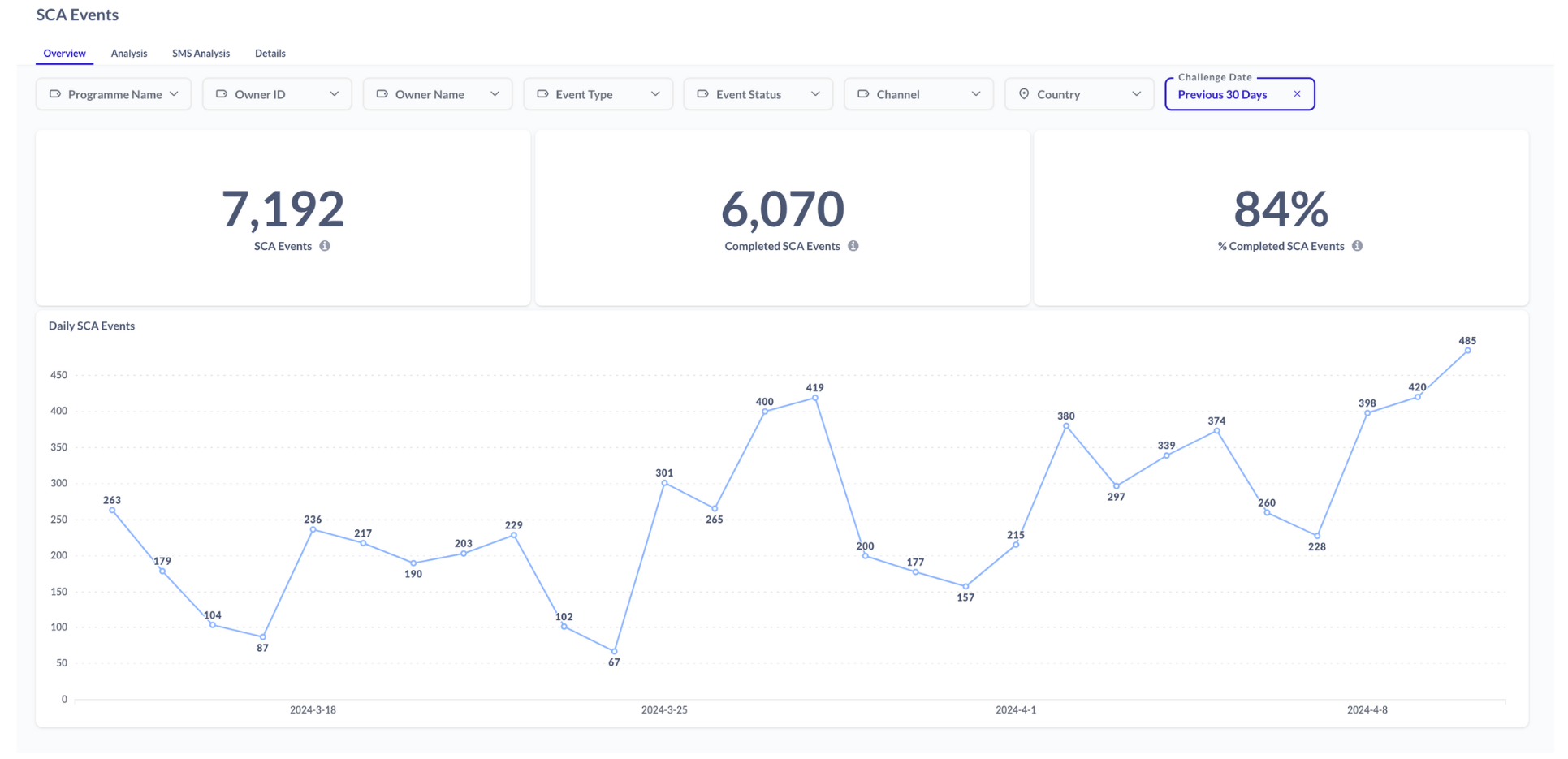
EmbedderEmbedder A company or developer that integrates Weavr's embedded finance services into their own application to provide financial services to their end customers. staff can now gain an overview of SCASCA Strong Customer Authentication - a two-factor authentication solution required by PSD2 regulations for when end-users are accessing their payment account sensitive information or initiating transactions. SCA requires at least two of the following: something you know (password), something you have (device), or something you are (biometrics).-type auth events, including the ability to filter by country and authentication channel.
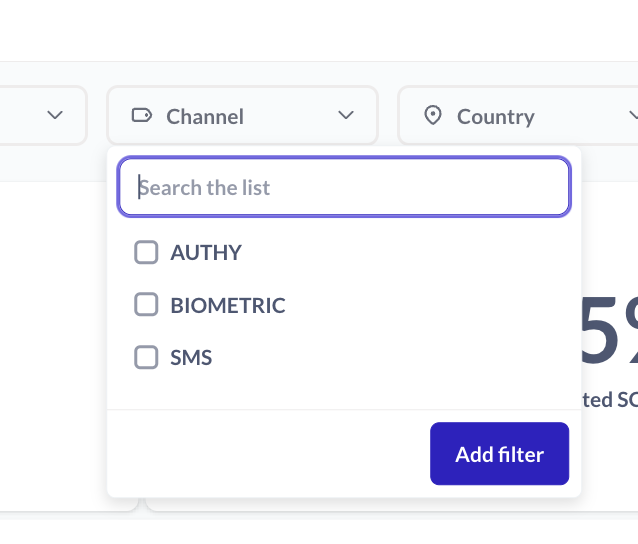
SCASCA Strong Customer Authentication - a two-factor authentication solution required by PSD2 regulations for when end-users are accessing their payment account sensitive information or initiating transactions. SCA requires at least two of the following: something you know (password), something you have (device), or something you are (biometrics). events covered include:
-
Device enrolment
-
Session Step-Up
-
Transaction confirmation
-
3DS3DS 3-D Secure - an additional security layer for online credit and debit card transactions. It adds an authentication step where the cardholder verifies their identity with the card issuer during the purchase, reducing fraud and providing liability protection for merchants. initiation
-
BeneficiaryBeneficiary A trusted recipient for payments that includes both information about the business or individual as well as their bank account or instrument details. When using trusted beneficiaries, customers may be allowed to skip Strong Customer Authentication (SCA) when executing Outgoing Wire Transfer or Send transactions, reducing the number of approval steps required. management
Embedder PortalEmbedder Portal A web-based portal where embedders can access their Weavr account, manage API credentials, configure settings, view dashboards, and access documentation. The portal provides access to both sandbox and production environments, with separate credentials for each. users can deep-dive into each segment by using the drill-down functionality available across various charts.
Within this dashboard, you can also access a dedicated SMS Analysis tab which you can use to track the journey of SMSs and understand how long SMSs take in each state. This can be helpful for troubleshooting any SMS deliverability issues that are emerging in support cases for particular customers or regions, often due to local telecoms reasons.
Additional endpoints now supporting idempotency
As mentioned in previous Release Notes, we are extending the list of endpoints in the MultiMulti Weavr Multi is an embedded finance solution that allows you to integrate financial services into your own application, providing a seamless experience for your customers. It enables you to offer managed accounts, managed cards, and transactions without requiring financial expertise. API which can be called idempotently. This can be achieved by including the idempotency-ref header in the requests.
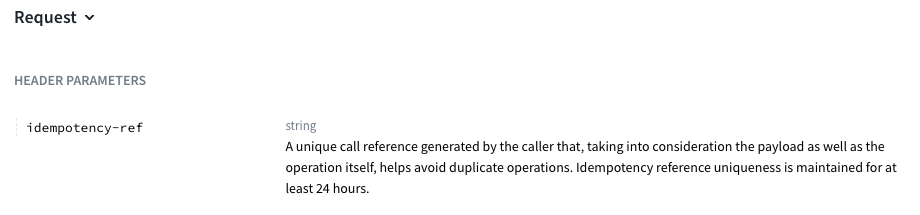
In this release, the following MultiMulti Weavr Multi is an embedded finance solution that allows you to integrate financial services into your own application, providing a seamless experience for your customers. It enables you to offer managed accounts, managed cards, and transactions without requiring financial expertise. API endpoints can (optionally) be called idempotently:
-
POST /managed_accountsto create a Managed AccountManaged Account An account held at a financial institution that can be created and managed through the Weavr platform. Each account has a balance where customers can hold funds. Optionally, an IBAN can be assigned to enable wire transfers to bank accounts outside of Weavr. -
POST /managed_cardsto create a Managed CardManaged Card A payment card (virtual or physical) that can be created and managed through the Weavr platform. Cards can operate in prepaid mode (with their own balance) or debit mode (linked to a managed account). All cards must be assigned to a card assignee who is an Authorised User. -
PATCH /managed_cards/{id}to update a Managed CardManaged Card A payment card (virtual or physical) that can be created and managed through the Weavr platform. Cards can operate in prepaid mode (with their own balance) or debit mode (linked to a managed account). All cards must be assigned to a card assignee who is an Authorised User. -
DELETE /managed_cards/{id}/spend_rulesto delete all spend rules for a Managed CardManaged Card A payment card (virtual or physical) that can be created and managed through the Weavr platform. Cards can operate in prepaid mode (with their own balance) or debit mode (linked to a managed account). All cards must be assigned to a card assignee who is an Authorised User.
Further information on idempotency is provided in our API Docs here.