Reference app and PDF statement
To help you present statements to your end customers, we provide two reference resources: an open-source reference app implementation, and an out-of-the-box PDF rendering delivered by the API itself.
Reference app implementation
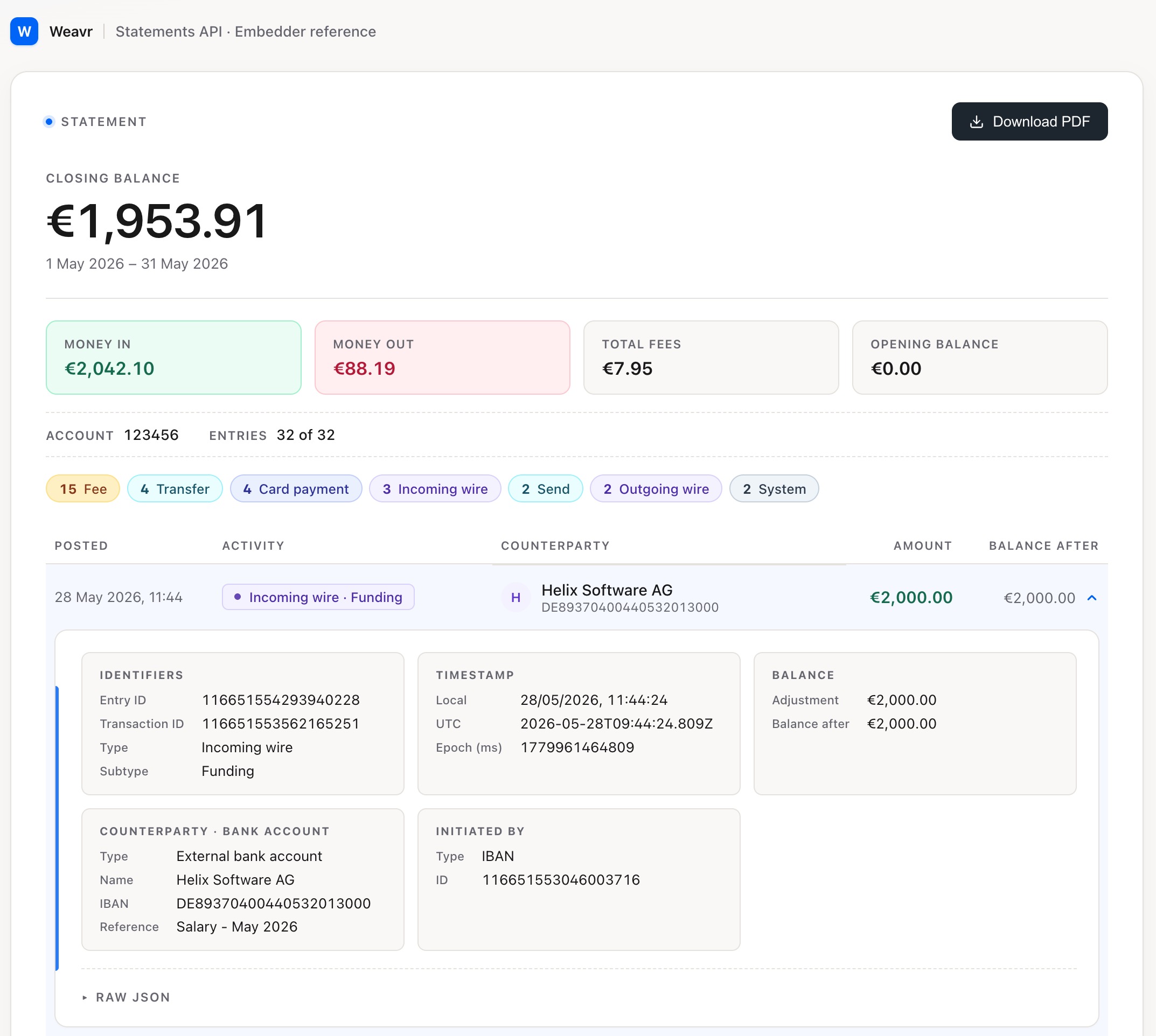
The statements reference app is an open-source repository that shows how a statement and its individual records can be presented to an end customer. It is built against the Statements endpoint, using a static file of dummy data, and serves two purposes:
- A representation of how a record can be displayed. The collapsed record view is what we'd recommend including as default content in a list.
- A showcase of what's available in the API. The expanded record view demonstrates the additional fields and substructures —
counterparty,forex,executingAccessInstrument, and related entries — that the statement endpoints surface.
How to use it
- Collapsed record: treat it as a starting recommendation, not a mandate. Your own brand, density, and information hierarchy will differ.
- Expanded record: treat it as a catalogue. It shows what's in the API — use what's useful for your end customer's context, and ignore the rest.
- PDF rendering: the PDF in the repository matches what the PDF statement endpoints deliver. We recommend shipping our PDF unchanged, so you don't need to render it yourself.
- Field semantics: where the spec text leaves room for interpretation, the UI code shows how Weavr expects each field to be used in practice.
Your backend should call the Statements endpoint and serve the information to your UI. Your UI should not call the API directly.
PDF statement
The PDF statement endpoints for accounts and cards return our curated, out-of-the-box rendering of the same data the JSON response contains, as a durable document you can make available to your end customers. The PDF includes the regulatory footer, so it is suitable as the record an account holder archives.
The following points map the rendered PDF back to the API response:
- Opening and closing balances at the top come from
openingBalanceandclosingBalance. You don't compute these. - Each line corresponds to one
StatementEntry, showing itstimestamp,balanceAdjustment(the signed value), andbalanceAfter(the running balance). - Fees appear as their own lines. A fee is a separate entry with
transaction.typeoffeesand arelatedEntryIdpointing back to its parent transaction. The fee is also referenced on the parent entry through itsfeefield, so you can render it either way depending on your UI. - Reversals and adjustments are also their own entries, linked to the original through
relatedEntryId. This keeps the chain auditable. - Forex transactions carry the conversion details in the
forexsubstructure. The PDF surfaces both the converted amount and the original amount. - Card-scheme contextual data — merchant information for card transactions — lives in well-defined fields on each entry.
- The footer comes from the
footerfield. It is part of the API response, not generated by your app.