Reference app
To help you present transaction activity to your end customers, we provide an open-source transaction activity reference app. Unlike the statements reference app, there is no PDF — transaction activity is a live, on-screen view, not a durable document.
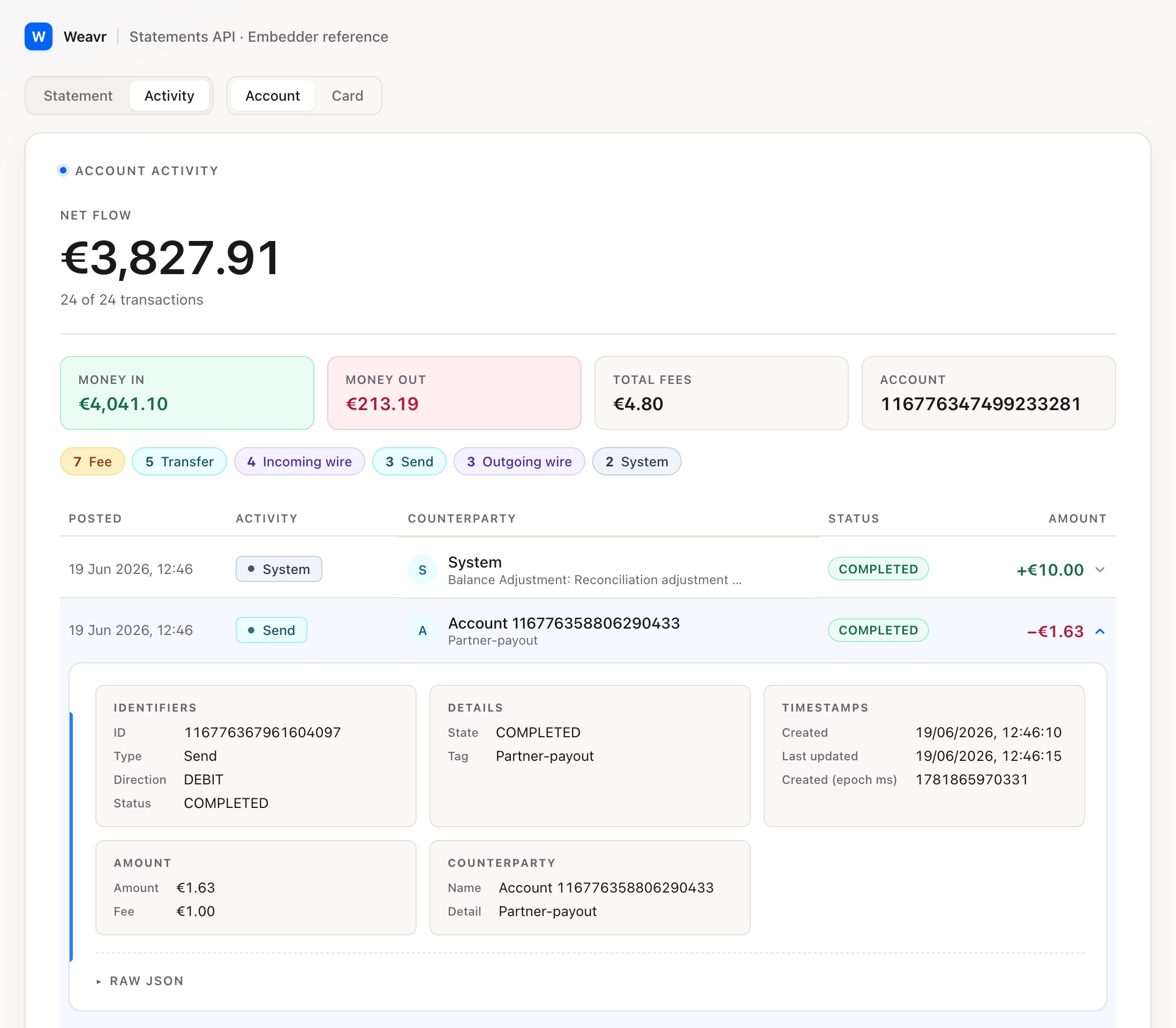
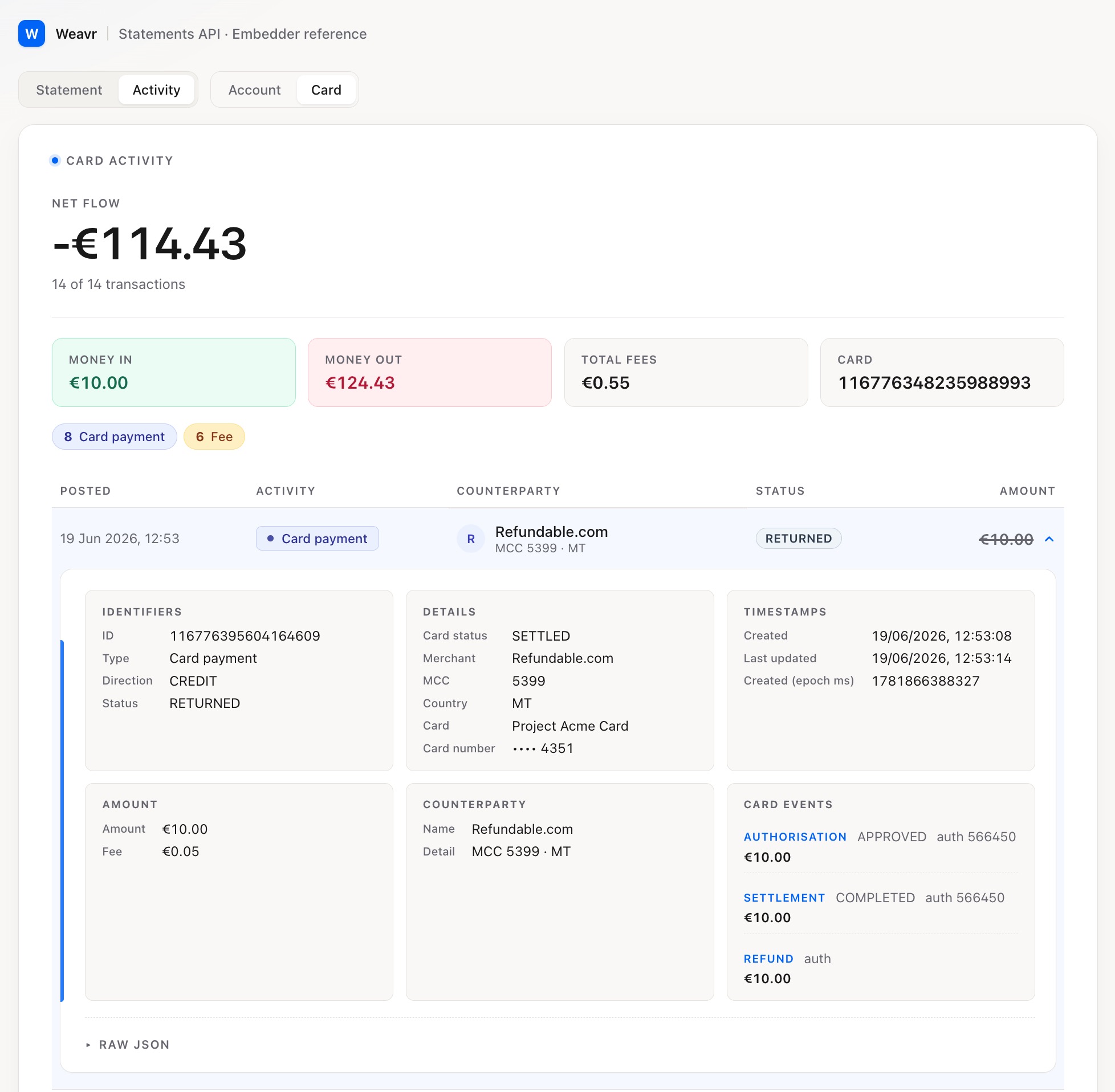
The reference shows how the normalized transaction model can be presented as a feed, across two views:
- Account activity — the activity on a managed accountManaged AccountAn account held at a financial institution that can be created and managed through the Weavr platform. Each account has a balance where customers can hold funds. Optionally, an IBAN can be assigned to enable wire transfers to bank accounts outside of Weavr..
- Card activity — the activity on a managed cardManaged CardA payment card (virtual or physical) that can be created and managed through the Weavr platform. Cards can operate in prepaid mode (with their own balance) or debit mode (linked to a managed account). All cards must be assigned to a card assignee who is an Authorised User..
Collapsed and expanded records
The reference app demonstrates the two-level record pattern described in the overview:
- Collapsed record — the default list row, built from the top-level normalized fields every entry shares:
type,status,direction,amount, and the timestamps. This gives a consistent, scannable feed regardless of transaction type. - Expanded record — when a customer opens an entry, the app surfaces the full, type-specific detail from the entry's
transactionobject: the fields that differ between transfers, sends, wire transfersWire TransferA transaction that moves funds between accounts. An incoming wire transfer moves funds from a third-party bank account to a Weavr managed account, while an outgoing wire transfer moves funds from a Weavr managed account to a third-party bank account. Wire transfers require the managed account to have an assigned IBAN (for EUR) or sort code and account number (for GBP)., card payments, and the other types.
Card payments in the expanded record
For a card payment, the expanded record goes a step further and shows the card payment event timeline — the authorisation, settlement(s), and any reversal or refund — so a customer can see how a single payment progressed, not just its current state.
How to use it
- Treat the collapsed record as a recommended default for your activity list; adapt the brand, density, and information hierarchy to your app.
- Treat the expanded record as a catalogue of what each transaction type exposes — surface what's useful for your customers and leave the rest.
- The reference app is built against the Transaction Activity endpoint, using a static file of dummy data.
Your backend should call the Transaction Activity endpoint and serve the data to your UI. Your UI should not call the API directly.